
- Published on
Claude Memory Is Free Now: Here Is What It Actually Remembers
- Authors

- Name
- Christopher Kvamme
- @MidnightBuild12
Claude Memory Is Free Now: Here Is What It Actually Remembers
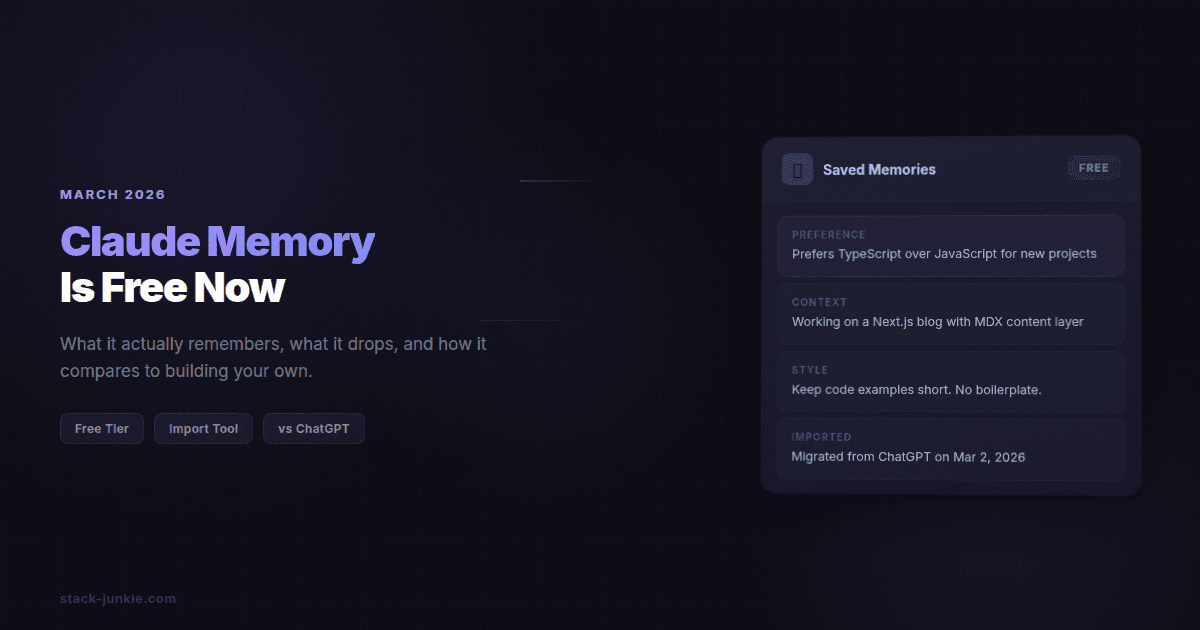
Claude's memory feature is now free for all users as of March 2026. It persists context across conversations by searching your past chats and pulling relevant details into new ones automatically. This guide covers how it works, what it retains, how to enable it, and where it falls short compared to building your own memory layer.
Table of Contents
- What changed in March 2026
- How it works: searching past conversations
- Setup: how to enable it
- Import: moving data from ChatGPT or Gemini
- Claude vs ChatGPT memory: quick comparison
- File-based memory vs Claude's approach
- Key Terms
- FAQ
Claude memory free: what changed in March 2026
Memory launched for Claude's paid tiers in the summer of 2025 and stayed there for roughly eight months. As of March 2, 2026, Anthropic dropped the paywall entirely, making memory available on the free plan.
The timing wasn't random. Claude recently hit the number one spot on the iOS App Store, riding momentum from several recent launches including Claude Code, Cowork, and the Opus 4.6 and Sonnet 4.6 model updates. Making memory free is a direct competitive play against ChatGPT, which has offered memory to free users for a while now.
Alongside the free rollout, Anthropic also shipped a dedicated memory import tool at claude.com/import-memory, making it easier to bring your existing chat history over from rival AI assistants. More on that below.
Claude memory how it works: searching past conversations automatically
Claude's memory doesn't just store raw conversation logs. It searches through your past chats and pulls out the exact context you discussed before, then surfaces it in new conversations without you having to re-explain yourself.
In practice, that means if you've told Claude your job title, your preferred coding language, or the name of your dog, it can reference those details next time without prompting. It builds a lightweight profile of you over time.
A few things worth knowing about how it behaves:
- Project scoping. You can restrict memory to specific projects, so personal conversations don't bleed into work contexts.
- Reviewable memories. Saved memories are visible in your account settings. You can see what Claude thinks it knows about you and delete anything inaccurate.
- Not telepathic. Claude's memory is only as good as what you've actually told it. It won't infer things you haven't stated. And it doesn't remember everything, just what it deems worth storing.
This is automatic. You don't have to prompt Claude to "remember this." It just does.
Claude memory setup: how to enable it in your account
Enabling memory takes about thirty seconds. Go to Settings, then Capabilities, and turn on Memory. That's it. It applies to new conversations from that point forward.
If you want to review or clean up what Claude has stored, the memory management interface lives in the same area of your account settings. You can edit or delete individual memories from there.

Claude memory import: moving your ChatGPT or Gemini history
This is the part that's actually clever. Anthropic built a dedicated import tool at claude.com/import-memory that walks you through migrating your existing memory from ChatGPT, Gemini, or Microsoft Copilot.
The import process works like this: Claude gives you a prompt. You paste that prompt into your old chatbot (ChatGPT, Gemini, whoever). The old chatbot generates a summary of what it knows about you. You copy that summary and paste it back into Claude.
It's not automated. There's no OAuth handshake or API call. It's literally copy-paste. But it works, and it means you don't lose years of context just because you're switching tools.
One caveat: the import takes up to 24 hours to fully assimilate after you paste it in. Don't expect instant results.
Claude memory vs ChatGPT memory: a quick comparison
Both products offer automatic memory now. Here's where they stand:
| Feature | Claude | ChatGPT |
|---|---|---|
| Free tier access | Yes, as of March 2026 | Yes |
| Memory is automatic | Yes | Yes |
| Reviewable by user | Yes | Yes |
| Project scoping | Yes | Limited |
| Import from rivals | Yes, via claude.com/import-memory | No dedicated import tool |
| Export your memories | Yes (since October 2025) | Yes |
The main difference that matters to most people: Claude now lets you scope memories to specific projects, which ChatGPT doesn't do as cleanly. If you run both work and personal conversations in the same tool, that matters.
Claude persistent memory vs file-based systems: what I actually run
There's a design choice buried in the "AI memory" framing that most coverage skips.
Claude's memory is automatic and opaque. You can see the stored memories and delete them, but you can't see the retrieval logic. You don't know exactly why Claude surfaced one fact and not another. That's a reasonable trade-off for most users. Setup is zero friction and it just works.
The approach I use for agent memory is different. I run OpenClaw (previously known as Clawdbot and Moltbot) as my personal AI agent layer, and memory there is entirely file-based. There's a MEMORY.md file the agent reads at the start of sessions. There are daily notes written in markdown. There are session recovery files for picking up where things left off after a context reset. Across dozens of concurrent agent sessions, they all share the same markdown files as the persistence layer.
What this gets right:
- Full transparency. I can open
MEMORY.mdand read exactly what the agent knows. There's no mystery about what's in the context. - Portability. The files aren't tied to Anthropic. If I switch models or tools, the memory comes with me.
- Survives everything. Context compaction, session resets, model changes, tool updates. The files don't care.
What Claude's approach gets right:
- Zero setup. There are no files to maintain, no pipeline to build. Turn it on and it works.
- Cross-conversation search. Claude can find relevant context from conversations months ago. My file-based setup only remembers what I chose to write down.
Neither is perfect. Claude's memory is easier to start with and harder to trust deeply. File-based memory takes effort to maintain but gives you full control over what persists and why. If you're a casual user who wants Claude to stop asking your name every session, the built-in memory is the right call. If you're running agents that need to coordinate across sessions with zero surprises, build your own.
Key Terms
Claude memory is the built-in persistence feature in Claude that stores facts and preferences from past conversations and retrieves them in new ones.
Session context is the information available to an AI model within a single conversation. Without memory features, nothing crosses the session boundary.
Persistent memory is any mechanism that keeps information available across sessions, whether built-in like Claude's feature or file-based like a manually maintained markdown document.
Memory import is the process of transferring your stored context from one AI assistant to another, typically by exporting a summary from the source and importing it into the destination.
FAQ
Is Claude memory actually free now?
Yes. Anthropic made memory free for all Claude users on March 2, 2026, after an eight-month period where it was limited to paid plans. You don't need a Pro or Team subscription to use it.
How do I enable Claude memory?
Go to Settings, then Capabilities, and enable Memory. It takes about thirty seconds and applies to all future conversations automatically. Official instructions are in Claude's support documentation.
Can I control what Claude remembers?
Yes. You can review, edit, and delete individual memories from your account settings. You can also restrict memory to specific projects so that what Claude learns in one context doesn't carry over to another.
How does Claude memory compare to ChatGPT memory?
Both are automatic and reviewable. The key differences: Claude now offers project scoping that ChatGPT lacks, and Claude has a dedicated import tool for bringing memories over from ChatGPT, Gemini, or Copilot. The Verge covered the competitive context in detail.
Does Claude memory work across devices?
Yes. Memory is tied to your Claude account, not a specific device or browser session. Sign in anywhere and Claude has the same context.
Evidence & Methodology
All claims in this article are sourced from primary coverage published March 2-3, 2026, plus official Anthropic documentation. The comparison section on file-based memory systems reflects the author's direct experience running OpenClaw across agent sessions.
Sources used:
- 9to5Mac, March 2, 2026
- The Verge, March 3, 2026
- Digital Trends, March 3, 2026
- WinBuzzer, March 3, 2026
- Claude Support Documentation
- Claude Import Memory Tool
Changelog
| Date | Change |
|---|---|
| 2026-03-03 | Initial publish |